
How to create a successful Facebook ad in 2026
A step-by-step guide to creating successful Facebook ads in 2026: objective, creative, ad copy, Ads Manager setup, specs, examples and how to test and scale.

Most Facebook ads fail before anyone reads them. People scroll past in a second, so a successful Facebook ad has to stop the thumb, make one clear point and give people a reason to act, all on a small screen and often with the sound off.
The good news: in 2026, the creative does a lot of the work. Meta's ad system uses the content of your ads to help decide who should see them, so a strong, varied set of creatives is one of the biggest levers you control. This guide shows you how to create a successful Facebook ad step by step, from choosing the objective to writing the copy, making the video and testing what works, with examples you can adapt.
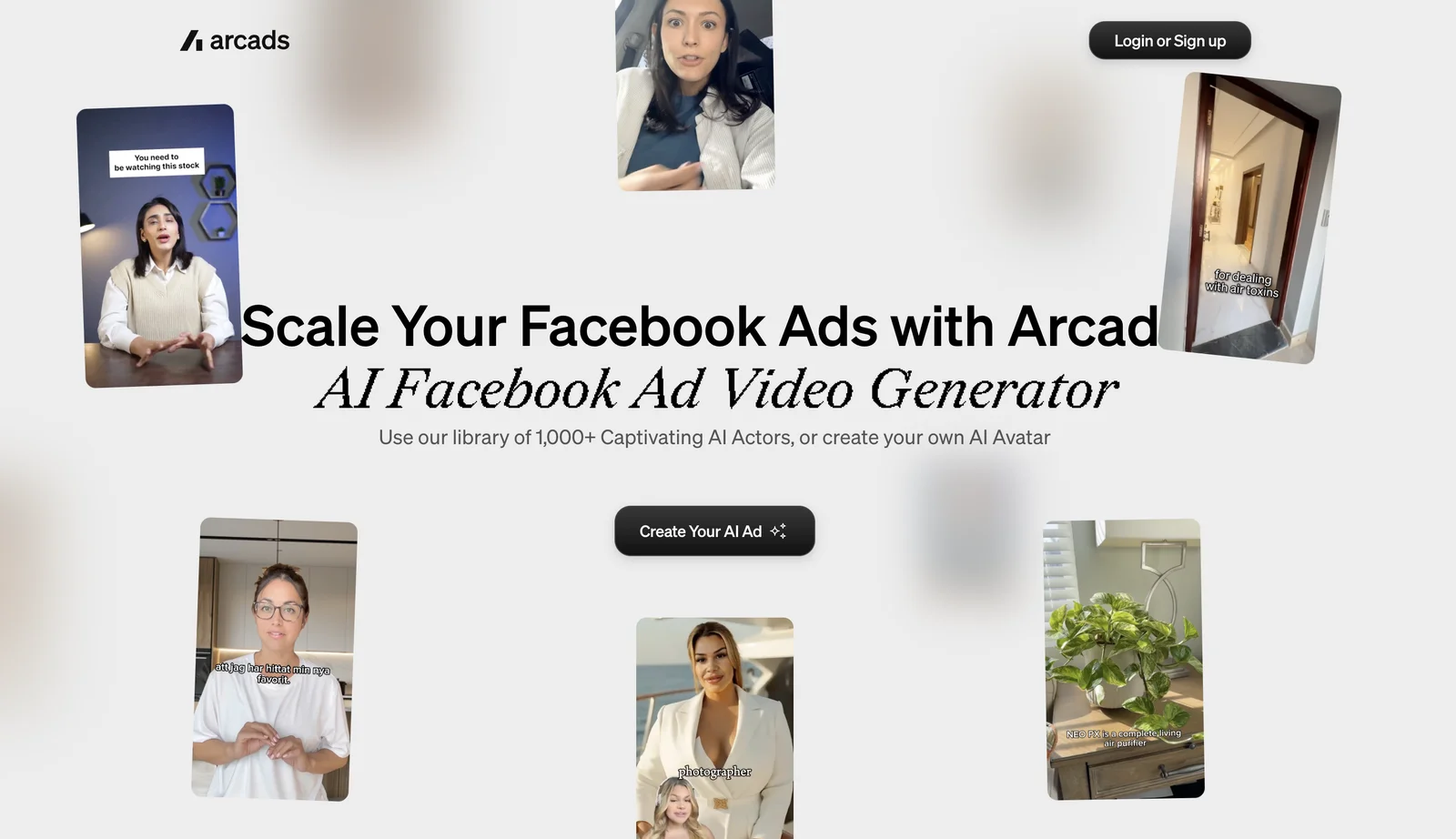
Arcads makes Facebook video ads for you. Write a script, pick one of 1,000+ AI actors, and get a finished UGC-style ad for Feed, Reels and Stories, without booking creators or filming. Because each new version takes minutes, you can test far more hooks and angles than a shoot allows.
Quick answer: how to create a successful Facebook ad
- Choose one campaign objective that matches your goal.
- Know who the ad is for and what problem it solves.
- Pick the format: video, image or carousel.
- Make creative that hooks in the first 3 seconds and works without sound.
- Write short ad copy with one clear call to action.
- Set up the campaign, ad set and ad in Meta Ads Manager.
- Launch several distinct creatives, measure, and scale the winners.
The rest of this guide explains each step in detail.
What makes a Facebook ad successful in 2026
It gives Meta real creative variety. Meta's Andromeda system helps match ads to people based on predicted relevance (Meta). This makes creative variety especially important: instead of producing many near-identical ads, test different hooks, presenters, messages and formats to give Meta more meaningful options.
It's built for mobile. Most people see Facebook ads on a phone, in a fast-moving feed. Vertical and portrait formats take up more of the screen.
It hooks in the first 3 seconds. The opening decides whether someone keeps watching or scrolls on. Lead with the problem, a bold claim or the product in action, not a logo animation.
It works with the sound off. Many people watch muted, so add captions and on-screen text that carry the message on their own.
It makes one point. One product, one benefit, one call to action. Ads that try to say everything usually say nothing.
Step 1: Choose one campaign objective
Meta asks you to pick an objective when you create a campaign, and it optimises delivery for that goal. Choose the one that matches what you actually want:
- Awareness: reach as many relevant people as possible.
- Traffic: send people to your website or app.
- Engagement: get video views, messages or interactions.
- Leads: collect sign-ups or contact details.
- App promotion: drive app installs and in-app actions.
- Sales: drive purchases and other conversions.
If your goal is revenue, choose Sales and set up the Meta Pixel or Conversions API, so Meta can learn which people actually buy.
Step 2: Know who the ad is for and what it solves
Before you write anything, answer three questions in one sentence each:
- Who is this for? For example: "busy parents who want healthy dinners."
- What problem does it solve? For example: "dinner takes too long to plan and cook."
- Why should they believe you? For example: "meals ready in 15 minutes, with recipes included."
This becomes the angle of your ad. Broad targeting and Advantage+ audience are useful starting points for many campaigns. However, test them against your existing audience strategy and use conversion data to evaluate the results. Different angles for different customer types also become different ads, which gives Meta's system more variety to work with.
Step 3: Pick the right ad format
- Video: useful for demonstrating a product, explaining benefits and showing a person on screen. It's a strong format to test for Feed, Reels and Stories, particularly for products that benefit from a demonstration.
- Single image: quick to make and good for simple offers, but harder to stand out with.
- Carousel: several images or videos in one ad, good for showing multiple products, features or steps.
For many brands, short video with a real-looking person talking to camera is a good format to test early. UGC-style video feels native in the feed, which helps it get watched. For more on this style, read how to create UGC ads.
Step 4: Make the creative (your Facebook ad video)
You can film with creators, your team or customers, or make the video with AI. AI is the fastest way to produce many versions for testing. Here's how to make a Facebook ad video with Arcads, step by step:
- Write a 15–30 second script. Open with the hook, show the problem, show the product solving it and end with one call to action. Write three different opening lines, since that's what you'll test first.
- Choose an AI actor who looks like your customer. Filter the AI actor library by age, gender and setting. A parent in a kitchen sells a meal kit better than a presenter in a studio.
- Direct the delivery. Add emotions to the script, like excited on the hook and calm on the explanation, so it sounds like a real person, not someone reading.
- Show the product. Generate the actor holding your product, or add B-roll and product shots over the talking parts.
- Add captions and on-screen text. Put the key benefit and the call to action on screen, so the ad works muted.
- Export for each placement. Use 9:16 for Reels and Stories, and a 4:5 or 1:1 version for Feed.
- Make distinct versions. Change the hook, the actor, the angle or the language, not just the colour of a button. Arcads Workflows can turn one script into many variations in a single run.
Step 5: Write ad copy that gets clicks
Your video does most of the selling, but the text around it still matters. Meta recommends keeping primary text around 125 characters for most placements, although the visible length varies. Put your main benefit and call to action near the beginning so people understand the offer without needing to expand the text.
Use this simple formula:
- Primary text: hook + benefit + call to action, with the main point in the first line.
- Headline: the offer or main benefit, kept short so it isn't cut off. Around 27–40 characters is a common guideline, but it varies by placement.
- Call to action button: pick the one that matches the next step, such as Shop now, Sign up or Learn more.
Facebook ad copy example:
Primary text: Still editing videos until midnight? [Product] turns your raw clips into finished videos automatically. Start free today.
Headline: Finished videos, minus the editing
You'll find three more complete examples, with copy, in the examples section below.
Keep claims accurate. Anything you say in the copy has to be true for your product.
Step 6: Set up the ad in Meta Ads Manager
Meta ads have three levels, and each controls something different:
- Campaign: Objective, and the campaign budget if you use campaign-level budgeting
- Ad set: Audience, placements, schedule, and the ad set budget if you budget at this level
- Ad: Video or image, primary text, headline, call to action and destination URL
Advantage+ placements lets Meta show your ad across Facebook and Instagram placements where it predicts the best results. Set up the Meta Pixel or Conversions API so Meta can learn from real conversions.
Before you publish, preview the ad in every placement to check nothing important is cropped or covered by buttons and captions.
Step 7: Test, measure and scale
A single ad is a guess. Successful Facebook advertisers launch several distinct ads, let Meta deliver them, then keep and build on what works.
- Start with 3 distinct creatives if your budget allows enough delivery for each. Each should differ in a meaningful way: a different hook, angle, person or format. Add more variations as you gather results, and avoid spreading a small budget across too many ads.
- Try the 3-2-2 method for a structured creative test. Combine 3 distinct creatives, 2 primary texts and 2 headlines to create up to 12 possible combinations. Meta can optimise delivery towards combinations it predicts will perform best. This is a useful way to explore creative options, but it isn't a controlled A/B test because every combination may not receive equal spend. The setup options, such as dynamic creative or flexible ads, vary by objective and account.
- Give ads time to learn. Avoid judging an ad on its first day of spend.
- Refresh when performance declines. Monitor frequency, click-through rate and cost per result. If performance starts to weaken, test a new hook, actor, angle or format rather than automatically replacing ads every week.
- Scale the winners. Increase budget on ads that hit your cost targets, and make new versions of the winning angle.
This is where AI creative helps most. With Arcads, a new hook or a new actor on a winning script takes minutes, not a new shoot, so you can keep feeding Meta fresh, distinct creatives.
Facebook ad examples you can adapt
Here are three complete examples, from hook to call to action, followed by five script templates you can reuse. The brands are illustrative, so swap in your own product and claims you can back up.
Example 1: Skincare (problem-solution)
- Hook (first 3 seconds): [Curious] "Does your skin feel tight an hour after moisturising?"
- Scene: an AI actor in a bright bathroom, holding the moisturiser, with the hook as on-screen text.
- Body: "A lot of moisturisers sit on the surface. [Product] uses [ingredient] to keep skin hydrated, in one step."
- Primary text: One moisturiser, one step, hydrated skin all day. See why it's replacing 10-step routines.
- Headline: Simple skincare that works
- CTA button: Shop now
Example 2: SaaS (quick demo)
- Hook: [Upbeat] "Here's how to turn a 40-minute call into a client summary in 30 seconds."
- Scene: an AI actor at a desk, cutting to a screen recording of the product.
- Body: "Upload the recording, click summarise, and send. Notes, action items and next steps, done."
- Primary text: Stop writing meeting notes by hand. [Product] turns every call into a clear summary automatically. Start free today.
- Headline: Meeting notes in seconds
- CTA button: Sign up
Example 3: Meal kit (offer-led)
- Hook: [Excited] "Dinner in 15 minutes, and your first box is half price."
- Scene: an AI actor in a kitchen unpacking the box, with quick cuts of the food being cooked.
- Body: "Fresh ingredients, simple recipes, delivered every week. No planning, no waste."
- Primary text: Dinner in 15 minutes, no planning needed. Try your first box at 50% off.
- Headline: 50% off your first box
- CTA button: Order now
Five script templates
These five concepts work across most products. Each is a different angle, which gives Meta the creative variety it needs. Because an AI actor hasn't used your product, these are written in a presenter's voice rather than as a personal testimonial.
1. Problem-solution
[Curious] "If your [problem] keeps coming back, this is for you. Most [category] products [common shortfall]. [Product] works differently: it [key benefit]. Tap the link to see how it works."
2. Quick demo
[Upbeat] "Here's how to [do task] in under [time] with [product]. Step one, [action]. Step two, [action]. Done. Grab yours with the link below."
3. Myth-buster
[Confident] "You don't need [common belief] to [result]. Here's what actually works: [insight]. That's exactly why we made [product]."
4. Objection handler
[Calm] "Wondering if [product] is worth it? Here's what you get: [benefit one], [benefit two] and [guarantee or offer]. Try it risk-free today."
5. Offer-led
[Excited] "This week only: [offer]. [Product] helps you [benefit] without [pain]. Once it's gone, it's gone. Tap Shop now."
For a vertical Reels version of any of these, keep the hook in the first second and the call to action on screen at the end.
Facebook ad specs for video (2026)
Use these as practical export settings for the main video placements. Meta's limits vary by placement and change over time, so check the Meta Ads Guide for the current maximums before you export.
Files and text: MP4 or MOV, with captions recommended. Confirm the maximum file size for your placement and format in the Meta Ads Guide. Keep primary text around 125 characters and headlines short; these are guidelines, not universal limits.
Safe zones matter in Reels and Stories. Keep important text, faces and the product away from the top and bottom of a 9:16 frame, where the profile name, buttons and captions appear.
How to measure whether your Facebook ad works
Watch these numbers in Ads Manager, and change the creative, not just the budget, when one is low. Some, like hook rate, are calculated metrics: you may need to work them out from the reporting columns or add them as a custom metric.
- Hook rate (3-second video plays ÷ impressions × 100): What it tells you: How many people watch at least 3 seconds, so whether the opening stops the scroll; What to change in Arcads if it's low: Test new opening lines or a different AI actor
- ThruPlay rate (ThruPlays ÷ impressions × 100): What it tells you: How many people watch at least 15 seconds, or the whole video if it's shorter; What to change in Arcads if it's low: Tighten the script and add B-roll where attention drops
- Link click-through rate: What it tells you: Whether the call to action is clear; What to change in Arcads if it's low: Make the call to action spoken and on screen, and show the product sooner
- Cost per result: What it tells you: Whether the ad is efficient; What to change in Arcads if it's low: Try a new angle, such as a demo instead of a problem-solution ad
- Frequency: What it tells you: Whether people are seeing the ad too often; What to change in Arcads if it's low: Add fresh creatives before results drop
Change one thing at a time, so you know what made the difference.
Using AI-generated ads on Facebook
AI-generated ads are allowed on Facebook and Instagram. Meta adds "AI info" to some ads created or significantly edited with generative AI, including some made with third-party tools that it detects. It appears in the ad's menu, or next to the "Sponsored" label when the ad shows an AI-generated photorealistic person. See Meta's guide to how AI-generated content in ads is labelled.
A label doesn't make a misleading claim acceptable, so keep every claim true and avoid presenting an AI actor as a real customer describing personal results.
FAQ
How do I create a successful Facebook ad?
Choose one objective, know who the ad is for, and make creative that hooks in the first 3 seconds and works with the sound off. Write short copy with one call to action, launch several distinct versions, and scale the ones that hit your cost targets.
What is the 20% rule on Facebook ads?
It was an old rule that limited images to 20% text. Meta dropped it in 2020, but it still recommends keeping on-image text short, since cluttered images tend to perform worse.
What is the 3-2-2 method for Facebook ads?
It's a creative testing framework: 3 creatives, 2 primary texts and 2 headlines, giving up to 12 possible combinations. Meta shifts delivery towards the combinations it predicts will perform best, so it's useful for exploring options but isn't a controlled A/B test.
How long should a Facebook video ad be?
Meta allows Feed videos from 1 second to 241 minutes, but most direct-response ads run 15–30 seconds. Whatever the length, the first 3 seconds matter most.
What size should a Facebook video ad be?
Use 4:5 at 1080 x 1350 for Feed and 9:16 at 1080 x 1920 for Reels and Stories.
How many ads should I run in one ad set?
Start with 3 genuinely different creatives if your budget allows enough delivery for each, then add more as you gather results. Distinct options give Meta more to match to different people, so variety matters more than volume.
Can I use AI to make Facebook ads?
Yes. Tools like Arcads create the full video, with an AI actor, voice and captions, from a script. Meta may add an "AI info" label to some AI-generated ads, so keep claims accurate.
The bottom line
A successful Facebook ad in 2026 starts with the creative: a fast hook, a clear point, sound-off design and one call to action. Give Meta several genuinely different ads, measure what works, and keep making new versions of your winners. To make your first one in minutes, try Arcads' Facebook ads generator.
Keep reading:
How to create UGC ads with AI
Best AI avatar video generators for ads
How to make a YouTube ad with AI
Test six AI actors before you film a single ad.
Write the script once. Arcads turns it into UGC-style video ads with 1,000+ AI actors.



Make your next winning ad with AI actors
Pick from 1,000+ AI actors, paste your script and get a UGC-style video ad in minutes. Test more hooks without booking a single creator.
Try Arcads free
